
Download Gacha Life APK latest version 1.1.14
Design. Create. Animate.
Download Latest version
App Info
| App Name | Gacha Life APK |
| Developer | Lunime |
| Genre | Anime / Storytelling |
| Android Version | 5.0+ |
| Storage Required | At least 100 MB |
| RAM | 1 GB or more |
| Latest Version | 1.1.14 |
What is Gacha Life?
Gacha Life is a free anime dress-up and story game by Lunime. It came out in October 2018. Millions of players use it to design chibi characters, build scenes, and share short stories online.
The APK is the Android install file for the game. You install it directly instead of using the Play Store. Players usually take this route when the Play Store version is blocked in their country, or when their device does not support the current listed build.
The APK on this page is the standard Lunime release. It is the same game, packaged as a direct install file.
What You Can Do in Gacha Life
Design chibi characters your way
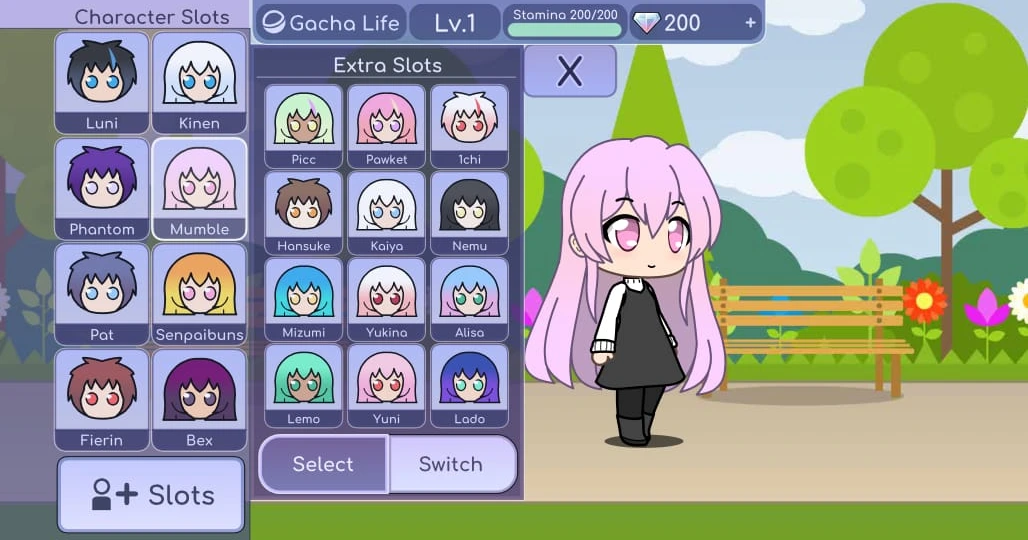
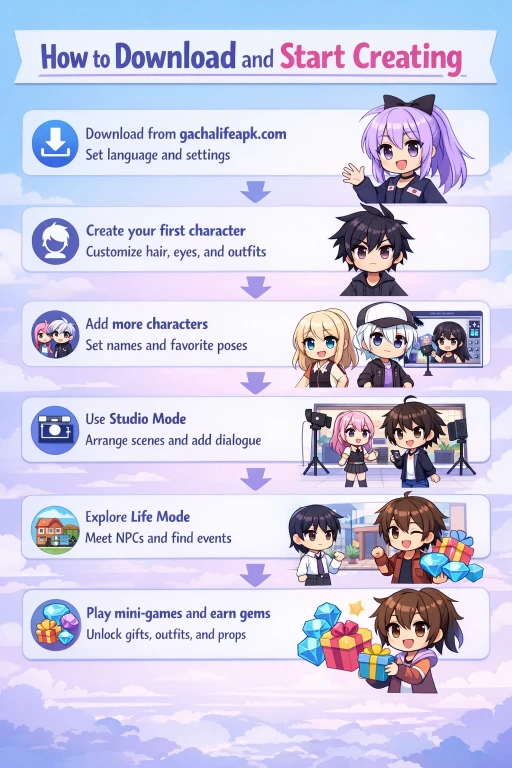
You get 20 character slots and around 600 starter presets. From there, every part is editable. Hair, eyes, mouth, brows, skin tone, blush, outfits, and accessories can all be swapped. You can layer weapons, hats, wings, tails, and pets. Colors come from a full palette, not fixed swatches.
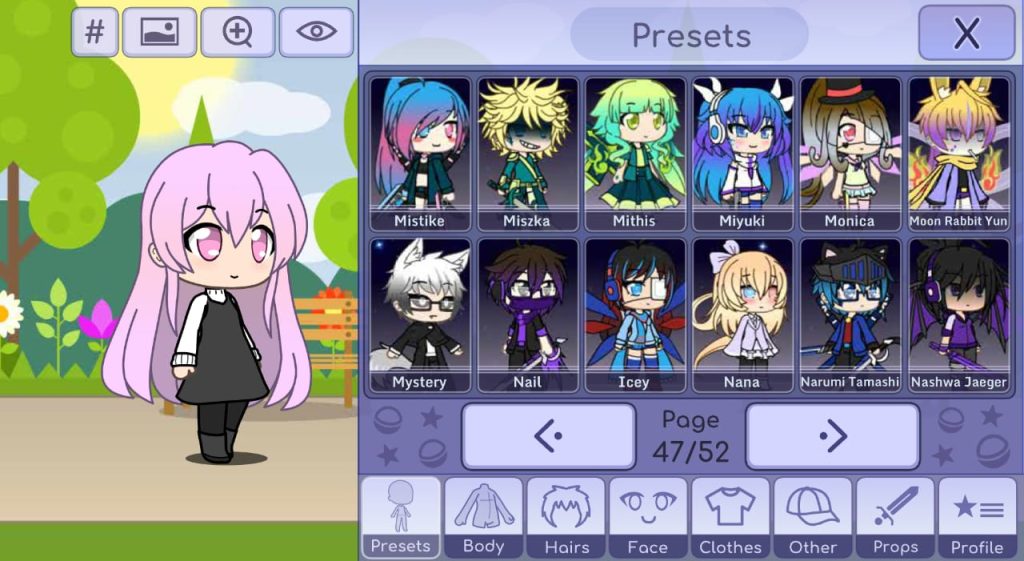
Most fans use this for OC design, which is short for original character. If you have played Gacha Studio or Gachaverse, the parts library here is larger. Saves stay on your device only. Back up screenshots of your best characters before you change phones.
Build scenes in Studio Mode
Studio Mode is the story-building side of the game. You place characters in a scene, pick a background, add speech bubbles, and set poses. Small details like eye direction and mouth shape change per scene.
One thing new players miss: Studio Mode exports still images, not video. That is why most Gacha creators screenshot each scene, then edit the sequence in CapCut or KineMaster. The Skit Maker inside Gacha Life chains scenes into a story, but final video work happens outside the app.
Explore Life Mode offline
Life Mode is a small open area with places to visit. You move your character through the Town, School, Beach, and other spots. Each area has NPCs you can talk to. Some give you gifts if you bring them the right item.
Life Mode works fully offline. No Wi-Fi. No mobile data. The map is small and you will see most of it in about an hour. It is not meant as deep exploration. It works better as a source of story prompts and background characters you can reuse in scenes.
Play mini-games for gems
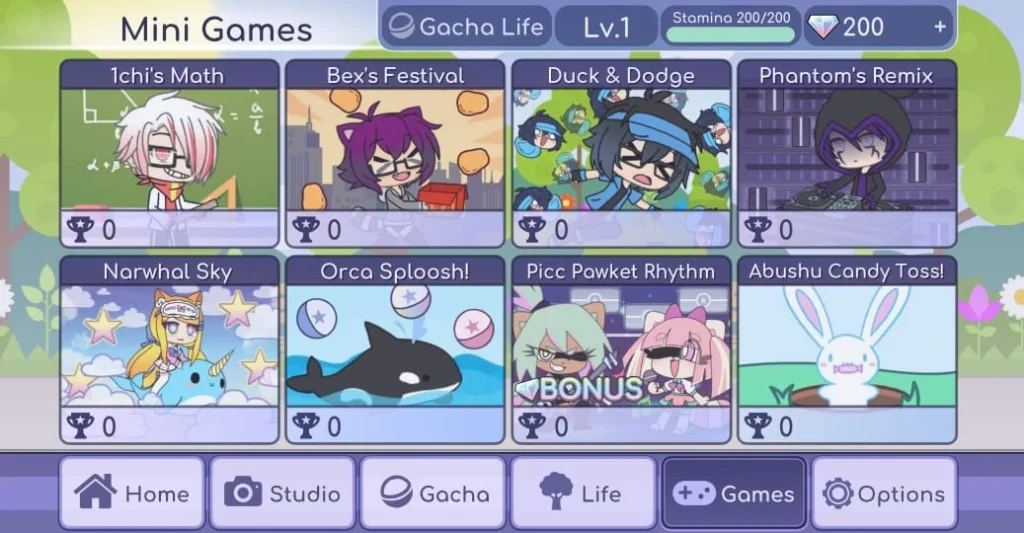
Gems are the in-game currency. You earn them by playing eight mini-games, which include rhythm, dodge, and math styles. Some pay steady low rewards. Others pay more but need real skill.
You spend gems on Gacha pulls. Each pull costs 5 gems and gives one random gift from a large pool. Gifts unlock outfits, props, and pets. There is no real-money gambling here. Everything can be earned by playing.
Gacha Life App Info
| App Name | Gacha Life |
| Developer | Lunime |
| Category | Casual, Role Playing |
| Content Rating | Rated for ages 9 and up on most stores |
| Android Version | 5.0 and higher |
| RAM Needed | 1 GB minimum, 2 GB smoother |
| File Size | About 108 MB |
| Latest Version | 1.1.14 |
| Cost | Free with optional in-app purchases |
| Internet Needed | Only for download and updates |
Version and file size checked in July 2026. We update this row when Lunime pushes a new build.
How to Install Gacha Life APK on Android
Sideloading is not the same as installing from the Play Store. Follow every step. Skipping step 2 will cause the install to fail on Android 8 and later.
- Tap the download button at the top of this page. The APK saves to your Downloads folder.
- Open phone Settings. Go to Apps, then Special Access, then Install Unknown Apps. Find the browser you used. Turn on Allow from this source.
- Open the Downloads folder in your file manager. Tap the file called gacha-life-1.1.14.apk.
- Android shows a warning about unknown sources. Tap Install.
- Play Protect may show a scan prompt. Allow the scan. It may then say the app was not checked by Google. That message shows for any APK. Tap Install Anyway.
- Wait 20 to 40 seconds. Tap Open.
- On first launch, allow storage permission so your characters can save.
If the install stops halfway, delete the file, free up at least 300 MB of storage, and try again. Incomplete APKs never install cleanly.
Device Requirements
Gacha Life runs on most Android phones made in 2019 or later.
- Android 5.0 (Lollipop) or higher
- At least 1 GB RAM. Phones under 1 GB will crash on complex scenes.
- At least 200 MB free storage. The APK is 108 MB, but Android needs unpack space.
- ARM or ARM64 processor, which almost all modern phones use
- Screen 4 inches or larger. Smaller screens cut off the Studio Mode toolbar.
The game runs well on tablets. On Android 14 and 15, some users see a black screen on launch. Clearing cache fixes it. Steps are in the problems section below.
For desktop play, see our Gacha Life for PC guide. For iPhone, see the Gacha Life for iOS page.
Is Gacha Life Safe for Kids?
The game is rated for ages 9 and up on most stores. There is no explicit content, no blood, and no real-money gambling built into the game.
Live chat is gone
Lunime removed live chat in the 1.0.9 update. That means strangers cannot message your child inside the app. The only in-game text now comes from scripted NPC dialogue.
In-app purchases are optional
They unlock cosmetic items only. The game does not push purchase prompts during play. To block them fully, turn on purchase authentication in your Google Play settings. That works for APK installs too, because purchases still route through your Google account.
No ads inside the core game
Some other APK mirrors bundle ads. The version on this page is the clean Lunime build.
The bigger risk sits outside the app
Many Gacha videos on YouTube and TikTok are made by adult fans. Some of that content is not suitable for children. If your child watches Gacha content online, use YouTube Kids or the supervised experience.
Screen time
Studio Mode and gem farming reward long sessions. If that is a concern, use your phone’s built-in app timer to cap Gacha Life at 30 or 60 minutes a day.
Gacha Life vs Gacha Club vs Gacha Studio
Players often ask which one to install.
Gacha Studio (2017)
The oldest. Smaller item library. Skip unless you collect old Lunime games.
Gacha Life (2018)
The balance point. Best for Life Mode exploration and simple story building. Best for first-time players.
Gacha Club (2020)
The newer game. Bigger character library, more poses, and a battle mode.
If you want the most features, install Gacha Club too. Many creators run both. Characters do not transfer between the three games. Each saves locally.
Common Problems and Fixes
Install fails. Storage is full or the download was cut off. Free up 300 MB and download again.
Black screen on launch. Common on Android 14 and 15. Go to Settings, Apps, Gacha Life, Storage. Tap Clear Cache. Do not tap Clear Data. Clear Data wipes your characters.
Crash on scene save. Usually low RAM on older phones. Close other apps. Turn off battery saver mode. Try saving with fewer characters in the scene.
Pixelated look on tablet. Turn on HD graphics inside the game’s settings. Clear improvement on 10-inch screens.
Characters missing after reinstall. Gacha Life saves to device memory, not the cloud. Reinstalling wipes them. Always screenshot your favorites before uninstalling.
Studio Mode buttons cut off the screen. Rotate the phone. If that fails, turn off display scaling in your Accessibility settings.
How to Update to a New Version
APK installs do not get Play Store updates. To update:
- Come back to this page every few months.
- Check the version number under the download button.
- If the number here is higher than yours, download the new APK.
- Install it on top of the old one. Characters and settings stay saved.
You do not need to uninstall first. Android will overwrite, and your data survives.
What’s New in Version 1.1.14
- Fixed a crash on scene load for Android 13 and higher
- Small performance improvements for Life Mode area transitions
- Fixed a bug that reset some accessory colors between sessions
- General stability fixes on tablets
If you are still on 1.0.9 or older, updating solves many crash issues those builds had on newer Android versions.
Pros and Cons
Pros
- Free with no forced ads
- No sign-up needed
- Full offline play once installed
- Small install size, around 108 MB
- Runs on phones from 2019 onward
- Deep character customization with 20 slots
- Strong preset library for fast starts
- No live chat, no stranger contact inside the app
Cons
- No cloud save. Uninstall wipes your characters.
- No direct video export. Skits need CapCut or KineMaster.
- Life Mode is small and gets repetitive
- Occasional lag on scenes packed with characters
- Play Store version is blocked in some regions, which is why the APK exists
Frequently Asked Questions
Is the Gacha Life APK safe?
The file on this page is the standard Lunime build with no added trackers or ads. Play Protect flags any APK as unverified because it did not come from the Play Store. That is a routine notice, not a virus warning.
Is Gacha Life free?
Yes. Every mode and most items can be earned without paying. In-app purchases only unlock cosmetics.
Do I need internet to play?
No, once the app is installed. You only need a connection for the download and for future updates.
Why does my phone warn me the app is unsafe?
Android warns for every APK installed outside the Play Store. The warning is standard. The file itself is the clean Lunime build.
How do I update Gacha Life after installing from APK?
Come back to this page. If the version listed here is higher than yours, download and install the new APK on top. Saves stay intact.
What is a gacha game?
A gacha game uses a random reward system, like a capsule toy machine. In Gacha Life you spend earned gems to open random gifts. There is no real-money gambling.
When did Gacha Life come out?
October 2018, from Lunime.
Can I play Gacha Life on PC?
Yes, using an Android emulator like BlueStacks or LDPlayer. See our full Gacha Life PC guide.
How do I make a Gacha Life video?
Gacha Life exports still images only. Build each scene in Studio Mode, screenshot it, then edit the sequence in CapCut or KineMaster. Add music and transitions there.
What is the difference between Gacha Life and Gacha Club?
Gacha Club is the newer game from 2020. Bigger library, more poses, battle mode included. Gacha Life is smaller and simpler. Many players use both. Characters do not carry over.
Can I move my characters to a new phone?
Not through the game directly. There is no cloud save. Back up screenshots of each character setup before switching devices.
Does Gacha Life have live chat?
No. Lunime removed live chat in the 1.0.9 update. All in-game text now comes from scripted NPC dialogue.